Video management systems

Every camera
watched by AI

81 HD streams, 30 fps of inference on each one, in a single on-premise server — under 40 W of accelerator power.
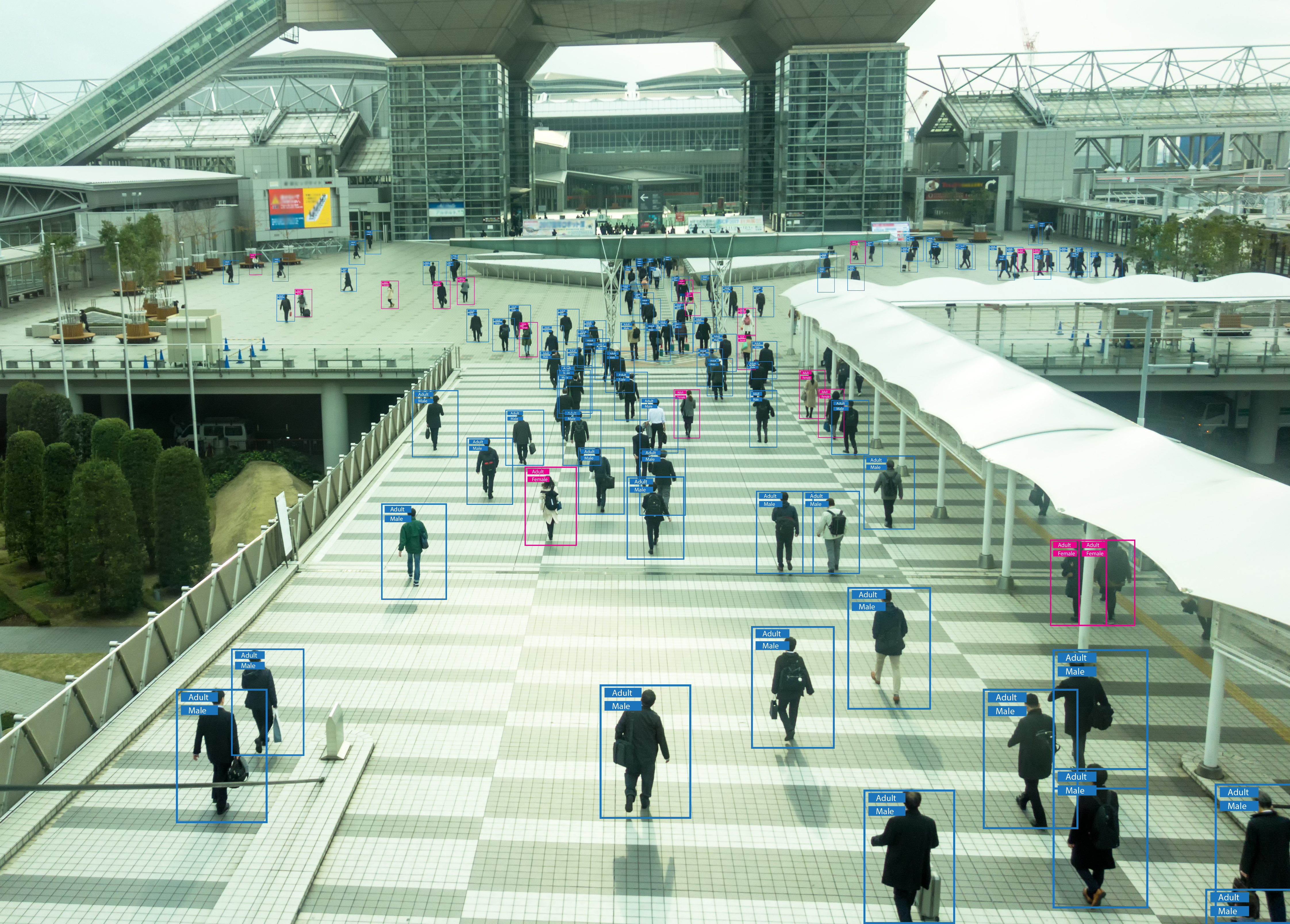
Surveillance cameras monitoring an urban scene White paper Advanced Analytics and AI Accelerators in VMS
Scroll

VMS is no longer about displaying and storing video. It is becoming an intelligent platform — actionable insight, real-time alerts, automated response.

As video volume grows, traditional VMS struggles to keep up with the demand for real-time processing. AI analytics turns raw footage into information: anomalies detected, patterns recognised, alerts generated, while the operator is still watching wall one of twelve.

The growth of VMS

A market pulled forward by AI

Rising demand for security and surveillance, smart city programmes, and commercial and industrial expansion — all of it landing on the VMS layer.

Market size
$31B
Global VMS market by 2027
Markets and Markets projection.
Growth
23%
CAGR, 2022 to 2027
Driven by security demand and smart city initiatives.
Density
81
HD streams on one box
Four MX3 M.2 modules, 30 fps inference per stream.
AI analytics in VMS

What the cameras start noticing

Machine learning applied to live video automates work that was previously impossible, or needed a human watching every frame.

Individual recognition

Faces, gait, clothing. Match against a database of known individuals to prevent unauthorised access and flag persons of interest in airports, government buildings, offices and warehouses.

Object detection & tracking

Vehicles, bags, packages — identified and followed automatically. Central to perimeter security, where unauthorised intrusion has to be caught as it happens, not found in playback.

Behaviour analysis

Loitering, crowd formation, sudden movement. Interpreting what people and groups are doing lets the system raise an alert and enable pre-emptive action before an incident.

Licence plate recognition

LPR / ANPR for traffic management, tolling, parking enforcement and access control — plates read and recorded automatically, stolen vehicles identified as they pass.

Crowd & traffic monitoring

Movement and density of people or vehicles, measured in real time — large events, traffic flow optimisation, public safety decisions made while there is still time to make them.

Approaches

Where the inference should happen

AI processing needs specialised hardware, and it can sit at three points in the video pipeline. Each choice buys something and costs something.

Stage 01

Camera

  • Lowest latency
  • Preset simple AI modules
  • Self-contained solution
  • Limited power and storage capability
  • Cannot run AI simultaneously across multiple cameras
Stage 02 · MemryX recommends

On-premise edge AI server

  • Low latency
  • Low transmission cost — only relevant frames leave the site
  • Privacy stays on site
  • Consolidated AI processing: update modules and training sets in one place
  • Uses the camera infrastructure already installed
  • Initial investment in AI hardware
Stage 03

Cloud

  • Scalability
  • Lower hardware cost
  • Longer latency
  • Higher network traffic
  • Reliance on an internet connection
  • Ongoing cloud expense: storage, transmission, compute

A balanced VMS should put AI processing in the on-premise edge server — lower operational cost, easier AI updates and maintenance, more functionality, and compliance with data privacy regulation.

MemryX, Advanced Analytics and AI Accelerators in VMS
Hardware

CPU, GPU, or accelerator

The same three options every VMS integrator weighs — and what each one actually costs to run once the cameras are live.

CPU

Traditionally manages the flow of video through the VMS. Cost-effective for moving data — not cost-effective for running the analytics on it.

GPU

Parallel processing gives a real jump over CPUs for inference. It also brings high energy consumption, higher operating cost, and heat that usually needs dedicated cooling.

AI accelerator

Silicon built only for inference. Balances performance and efficiency, drawing significantly less power than a GPU at comparable or better throughput — which is what makes edge deployment practical.

Measured

What an MX3 box does with 81 cameras

Four MemryX M.2 modules on a PCIe carrier card, decoding and inferencing HD video in one on-premise server.

Figure 1
81
decoded HD video streams

YOLOv5s at 320×320, 30 fps inference per video stream. Four MemryX M.2 modules on a PCIe carrier card, under 40 W total AI accelerator power. AMD x86 Ryzen host used for the demonstration.

vs GPU
3.5×
against RTX 4060 and RTX A2000

Derived from over 100 different versions of the YOLOv5 and YOLOv8 object detection models, varying in layer depth, input resolution and complexity. Batch=1, Intel Core i7-13700, 64 GB RAM.

vs M.2 competition
2×
against best-in-class M.2 accelerators

Across a set of 50 different AI vision model benchmarks published on the competitor’s own website. Models compiled with each company’s SDK and measured on similar x86 host platforms.

Under 40 W of accelerator power for the whole wall

Typical GPU server
high
4× MX3 M.2
<40 W
Accelerator power only, excluding the host. GPU bar is indicative — the white paper reports GPU energy consumption as high enough to require specialised cooling in large installations.
MemryX MX3

Built for VMS at the edge

An accelerator designed for exactly this workload: high performance, low power, and integration that does not mean rebuilding the system around it.

Superior edge performance

Processing power to handle real-time analytics at the edge, so the VMS responds to threats and anomalies as they happen.

Low power consumption

Less power means lower operating cost and less heat — deployable in environments with limited cooling infrastructure.

Easy integration

Supports a wide range of models and frameworks, and drops into an existing VMS without overhauling the infrastructure around it.

Scales with the deployment

Deploy in the configuration the site needs today and add modules as the camera count and the model set grow.

A smart city project reads thousands of camera feeds in real time — anomalies detected, objects tracked, insight handed to city officials — and stays cost-effective and scalable as the surveillance estate grows.

That is the shape of the MemryX advantage in VMS: high performance, low power draw and easy integration together, so advanced analytics arrive without a trade against cost or complexity.

Put AI on every camera you already own

Talk to our team about MX3 in your VMS deployment, or start today in the Developer Hub — the full toolchain is a free, ungated download.